
 BCCSA Search
 Health & Safety Programs
COR® is an occupational safety and health accreditation program that verifies a fully implemented safety and health management system which meets national standards.
The National Construction Safety Officer (NCSO®) and National Health & Safety Administrator (NHSA™) designations offer proof of competency in construction safety at a nationally-recognized level.
The BCCSA's Traffic Control Person (TCP) Program is British Columbia's most established training program for traffic control. We train numerous TCPs across the province.
Individuals who hold the Certified Concrete Pump Operator Certification (CCPO) have proven their ability to effectively apply their knowledge while working in the field.
The government of British Columbia has introduced new asbestos worker certification regulations to enhance safety. Employers are obligated to secure licenses.
The Fire & Flood Restoration Program (FFRP) is an initiative aimed at enhancing safety within the restoration industry through safety training modules and valuable resources.
The Technical High Angle Rope Rescue Program (THARRP) prepares fire department personnel in technical rope rescue techniques, specifically for rescuing workers in distress at elevated heights.
The BCCSA's Peer Support Recovery Navigator (PSRN) Program helps employers and workers build safer, recovery-inclusive workplaces in the BC construction industry.
Health & Safety Training
All instructor-led, self-paced, classroom, and online training offered by the BCCSA.

Find and register for upcoming BCCSA training available throughout the province, in sortable list view.

Find and register for upcoming BCCSA training in month-to-month calendar view.
The Student Audit Assignment is required to attain BCCSA's COR® Internal Auditor certification. Microsoft Excel is required.
Learn the roles and responsibilities of prime contractors in BC construction, including legal requirements, multi-employer coordination, and practical safety management.
Learn about 11 common hazardous materials, their health risks, and safe practices for handling, removal, and disposal. Free for BC fire and flood restoration workers.
Learn how mental health affects the workplace, reduce stigma, and explore practical ways to support your own well-being and your team.
Our PHSM eLearning course is designed to provide clear guidance and practical instruction for creating a concise and effective Health & Safety manual. This manual not only ensures compliance with regulations but also prioritizes the well-being of your workers.
SiteReadyBC is the first comprehensive construction site safety orientation program created specifically for British Columbia. It equips workers with essential knowledge to comprehend safety regulations on any construction site in the province and empowers them to work confidently.
Our DEV eLearning course serves as a comprehensive guide on the safe utilization of dust extractor vacuums for managing exposure to respirable crystalline silica in construction settings.
Our Webinar Series is designed to offer in-depth insights, expert guidance, and practical solutions on a broad range of OHS topics. We delve into the critical aspects of maintaining a safe and secure workplace.
Health & Safety Resources
The Silica Control Tool® assists employers in performing thorough risk assessments and implementing effective controls and safe work practices in situations where silica dust poses a potential occupational hazard.
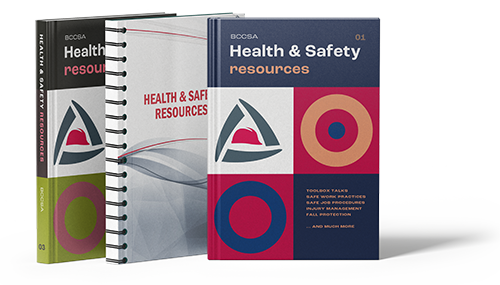
Discover our library of occupational health & safety resources, including documents, materials, files, and links. Our resources are designed to support you in promoting workplace health & safety and mitigating occupational hazards effectively.
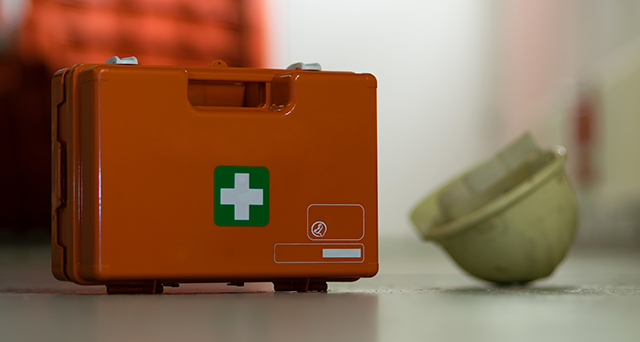
Every employer in B.C. needs to prepare a written first aid assessment for each of their workplaces. This app is designed to help construction employers to determine the first aid equipment, supplies, and facilities required at each of your workplaces.

The Hazard Guide provides straightforward, current safety strategies to prevent accidents and keep workers healthy.
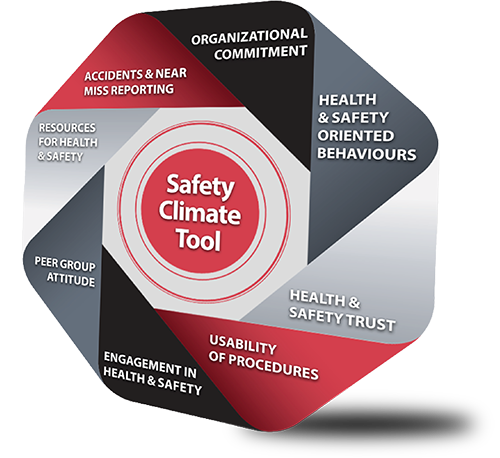
Measure your workplace safety culture with a quick, anonymous 10–15 minute survey and get practical insights to improve safety across your organization.

Mental health, substance use & wellness support for BC construction workers.

RE-MIND is dedicated to enhancing BC construction workers' access to mental health information and support services. RE-MIND encompasses the content available on the RE-MIND website, as well as The Lone Hunter video and Toolbox Talk resources.
Find answers to our most frequently asked questions. If you need more help, we're here to assist.
Health & Safety Services
Get free, hands-on safety support from experienced Regional Safety Advisors, including help with WorkSafeBC requirements, safety programs, and COR® certification.

Employing a state-of-the-art tour trailer, Safety on Tour offers safety demonstrations at construction sites, schools, trade shows, and community events in every corner of the province.

Get practical support to help injured workers return to meaningful work sooner while managing injury-related costs.
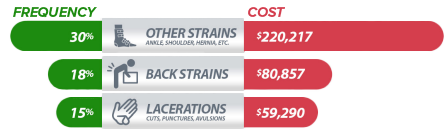

The BCCSA serves on committees that examine select matters involving occupational health & safety in BC.
Health & Safety StoreOHS handbooks, guides, manuals, and other materials for your workplace.
Designed specifically for construction supervisors to keep a daily record of on-site safety activities, site orientations, and daily crew notes.
Register and join safety events, info sessions, and regional breakfasts across BC.
The annual BC Construction Health & Safety Conference is designed to bring together professionals, experts, practitioners, and stakeholders from the construction industry to discuss and share insights, best practices, and innovations related to construction health and safety.

Instructions:
Use a PC computer with Excel 2003 or newer, download the excel audit file, conduct the audit, remember to save the file as you go, submit the final audit report to the BCCSA by attaching the excel file in an e-mail to cor@bccsa.ca. Note: MAC users may experience some compatibility issues.
For Small COR® participants, complete the red shaded questions only. For Large COR® participants, complete all questions. See The COR® Process for details. If you are unsure which program your firm participates in, please contact the BCCSA.
For assistance with your COR® audit or inquiries about BCCSA’s COR® Program, please contact us at cor@bccsa.ca or toll free at 1 (877) 860-3675.
| Title | Type | |
|---|---|---|
|
Version 2.0 · 2026/01/01 · The COR® OHS National Audit Document is the instrument used by BCCSA qualified auditors to measure the effectiveness of a company’s occupational health and safety management system for BCCSA COR® Certification, Maintenance and Recertification. Note: for COR® Certification Audits, please ensure the company is registered to the BCCSA COR® Program. |
MS Excel |
 Glossary
Toolbox Talks are informal safety meetings that focus on safety topics related to the specific job, such as workplace hazards and safe work practices. Meetings are normally short in duration and are generally conducted at the job site prior to the commencement of a job or work shift. It is one of the very effective methods to refresh workers' knowledge, cover last minute safety checks, and exchange information with the experienced workers.
Toolbox Talks are also intended to facilitate health and safety discussions on the job site and promote your organization’s safety culture. Toolbox talks/meetings are sometimes referred to as tailgate meetings or safety briefings.
BCCSA Training
To transfer or cancel a registration, you must send a written confirmation to training@bccsa.ca If written notification is not received within the stated time frame, the full course fee will be charged.
The BCCSA and its venue partners reserve the right to cancel any courses due to insufficient enrollment or other causes. In this case, you will be notified by the BCCSA through phone call or email at least 5 business days prior to the course.
BCCSA Services
BCCSA Services
Please enter your e-mail address below. A password reset code will be e-mailed to you, which you'll use when creating a new password for your account.